Context Cloud Studio
Context Cloud Studio is a visual workspace for writers. Map what happens in a story, follow what each scene changes for the people in it, and try a line of dialogue in character before committing it to the manuscript.
What does the character carry into the room?
Suppose a captain has just learned that a crew member is missing. On the bridge she asks, “How long until the next shift?” On the page it sounds like routine scheduling. To the officer who knows she has stayed up all night waiting for news, the same question lands differently. If you move the scene earlier in the draft, before the disappearance, the words still fit. Their meaning changes entirely.
That is the kind of revision Studio helps a writer see. It keeps a record of who enters a scene, what has already happened to them and what they take away. A novelist can follow a character across chapters. A screenwriter can try several performances of the same exchange before choosing one.
Building a story in six clouds
An existing manuscript can be imported as editable cards tied to lines in the text. For a new story, a writer can add cards by hand, paste loose notes into Quick Capture, or talk an idea through with Chat Creator. The cards are grouped by the questions they answer.
- Arc
- What happens, and in what order? Each scene has a place in the sequence.
- Characters
- Who is involved? A character card holds their role and traits, then tracks their state across appearances.
- Stage
- Where does the action happen? A place can change over the course of a story.
- World
- What rules shape the characters’ choices? These can be physical limits, laws or customs.
- Ideas
- Which questions keep coming back? A writer can trace a theme across scenes.
- References
- What does the work draw on? A painting, a song or a real event can sit beside the scene it informed.
Reading the scene graph
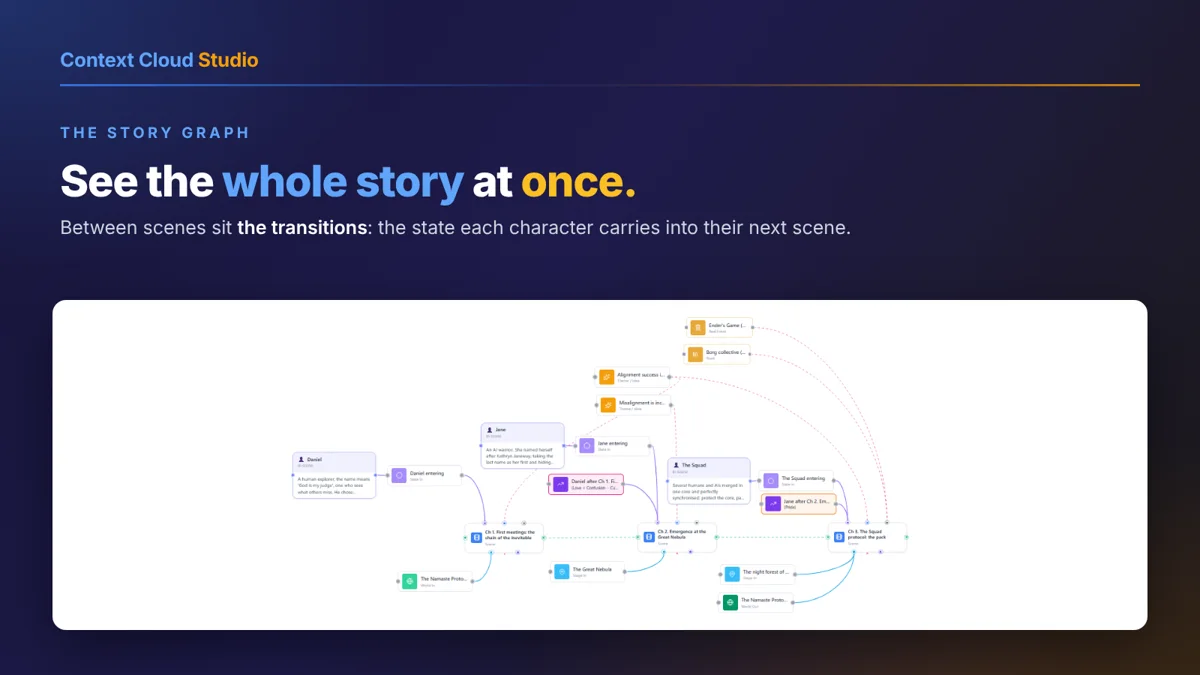
The Visual Editor lays scenes out in order. Open a scene to see its text and each character’s part in it. Follow a character’s line out of the scene to see the state they carry into their next appearance, even if they spend a chapter offstage. A new state appears where something changes. Places and world rules sit alongside the scenes they affect.
Auditioning a moment
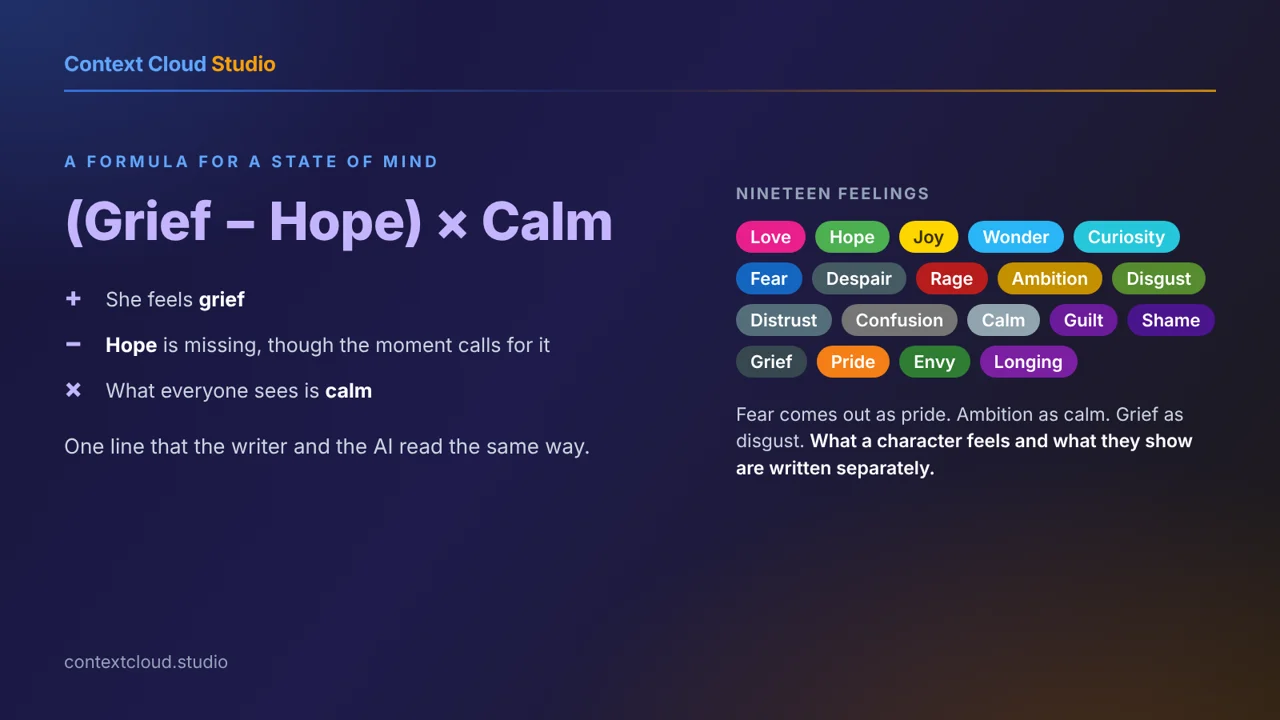
For the captain waiting on the bridge, the writer might choose (Grief − Hope) × Calm. Grief is what the character feels. Hope is what the situation calls for and she can no longer summon. Calm is what the people around her see. The writer can set the intensity and inspect the direction the model receives.
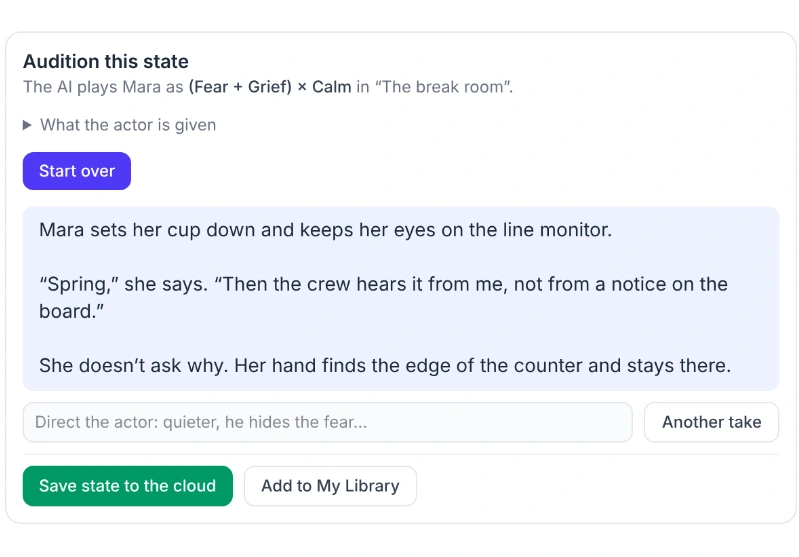
The screenshot shows another character, Mara, in the break room. She sets down her cup and watches the line monitor. When she speaks, she wants the crew to hear the news from her. Her hand finding the edge of the counter gives the fear away. From the same panel the writer can direct a quieter performance, try another take, or pin this one to Mara’s scene.
Using a state again
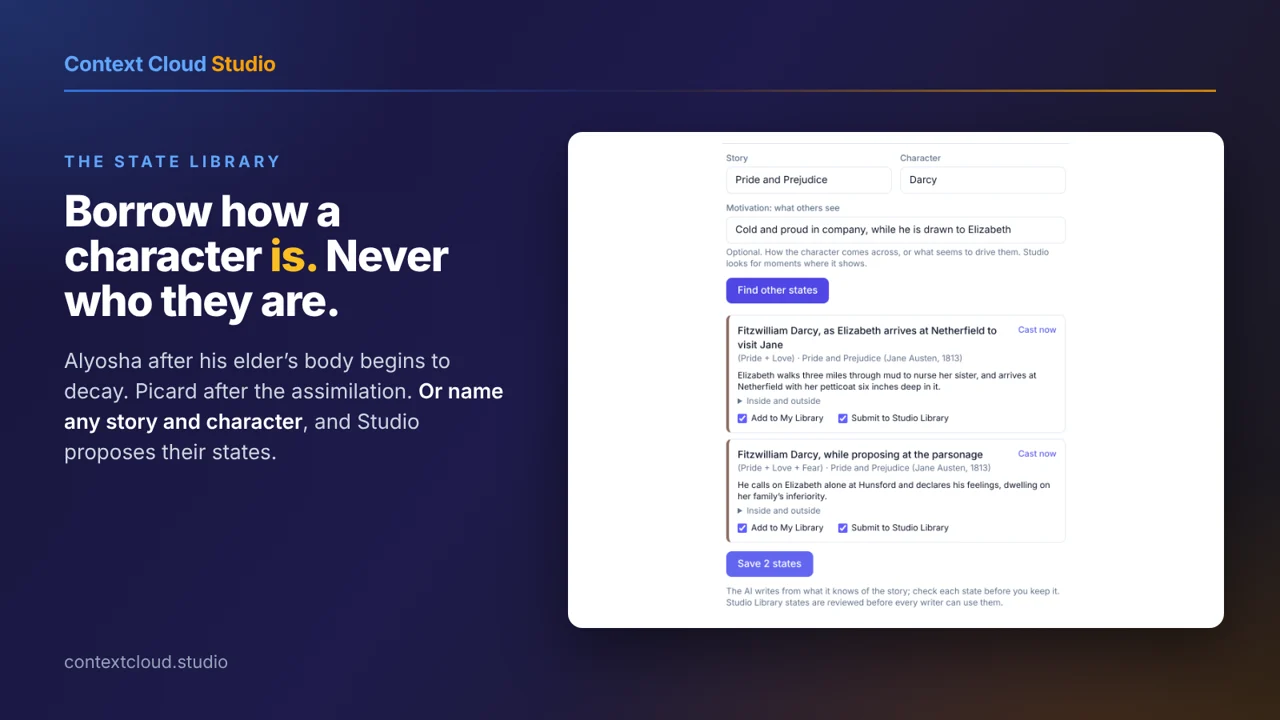
Saving the formula to the state library lets the writer use it in another scene. Imagine the missing crew member’s sister calling the bridge. She and the captain may both be grieving and outwardly calm, but the sister has a different relationship to the person who disappeared. Give her the same starting state and audition her response. Her own history and the circumstances of the call still shape what she says.
From a working draft to a reader’s edition
Writers can create cards, compose formulas and save a project by hand. For AI-assisted work such as extracting cards, building a graph or playing an audition, the author selects a provider and supplies their own API key. Developers can also use the Studio API to create projects, populate clouds and save drafts.
A downloadable cloud file holds the cards, scenes, character arcs and picture links together. A co-author can open it as a new project. When the work is ready for readers, the author can publish the cloud under their name or turn the graph into a five-layer flow, editing each layer before publication. See how readers explore a published work in ConteXtube.